Event Groups: Why EventSplit Supports Nesting

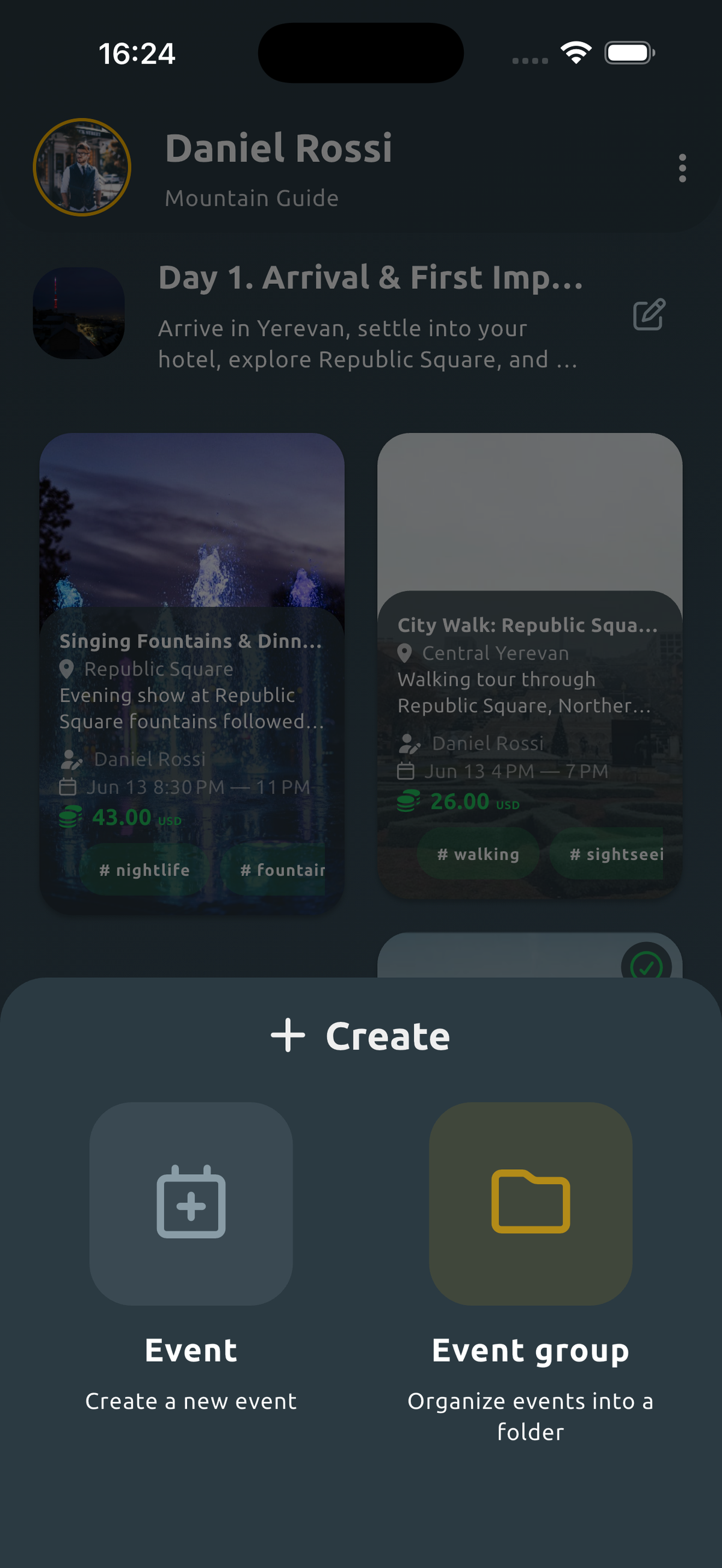
EventSplit works great with plain, flat events too. For a lot of situations, that's all you need — a weekend trip is one event, all the expenses in one list, done. But when a group ends up with several connected events over time, it's worth organizing them into a structure.
When a Flat List Starts to Feel Limiting
A flat list isn't broken — it still adds everything up to the cent, no matter how big it gets. It just gets harder to work with as the number of expenses grows. A few situations where this shows up:
- A week-long trip with different activities each day. Not everyone joined every outing, someone showed up a couple of days late — and every day's expenses sit in the same one list.
- Renting a house together for the whole summer. Expenses keep coming in for months, and there's no real "end" to the event in the usual sense — the list just keeps growing.
- Living with the same roommates long-term. Costs naturally split into periods — by month, say — but in a flat list it's still just one endless scroll.
In any of these, after a couple of weeks you end up with thirty-plus expenses in one list, and it gets genuinely hard to find just the ones from one specific day or activity without scrolling through everything else.
What Event Groups Are
Event groups are a Premium feature built specifically for this. You can combine events into a group, and nest groups inside other groups. The nesting isn't unlimited, but it's more than enough for real scenarios like "trip → days → activities within a day."
A Concrete Example
Here's what that looks like:
Georgia trip (group)
 └─ Day 1: Tbilisi (group)
     └─ Taxi
     └─ Bathhouse tickets
 └─ Day 2: Kakheti (group)
     └─ Wine tasting
     └─ Bike rental
The top level is the whole trip. Inside it, each day is its own group. Inside each day, the actual expenses. And nothing stops you from adding another layer if a specific day ends up with its own structure too.
What This Gets You in Practice
The main thing: you can check the numbers at any level of that structure. Only need to settle up for the day in Kakheti? Open that specific group and get a calculation just for it, without touching the rest of the trip. Need the total for the whole trip? Open the top level, and it pulls together every expense from every day. Nothing to recalculate or split up by hand — the structure stays put, and the math adjusts to whatever level you actually need.
Free vs. Premium — Honestly
Creating events is free, with no limit on how many you can create. Organizing those events into nested groups is a Premium feature. It's not a requirement for using the app — it's an upgrade for when a group's expenses actually develop a structure: several days, several months, several connected activities.
Who This Is Especially Useful For
Mainly: long group trips, sharing a house for a season, and long-term roommates whose expenses naturally split into periods. If what you're tracking is a one-off event with no structure to it, you probably won't need groups at all — and that's fine.
The Bottom Line
EventSplit works just as well for a single one-off event as it does for a group with a whole web of connected events. The only question is whether you need the nesting — and if you do, event groups give you a clear hierarchy instead of one endless list.


